Lightweight • Linux Native
Simplify Linux
server management.
A fast, single-binary control panel for Linux servers. Host websites, Node.js apps, email, and databases — with SSL, DNS, backups, and security built in. No bloat. No licence fees, ever.
Works with your stack
EVERYTHING YOU NEED TO RUN A SERVER
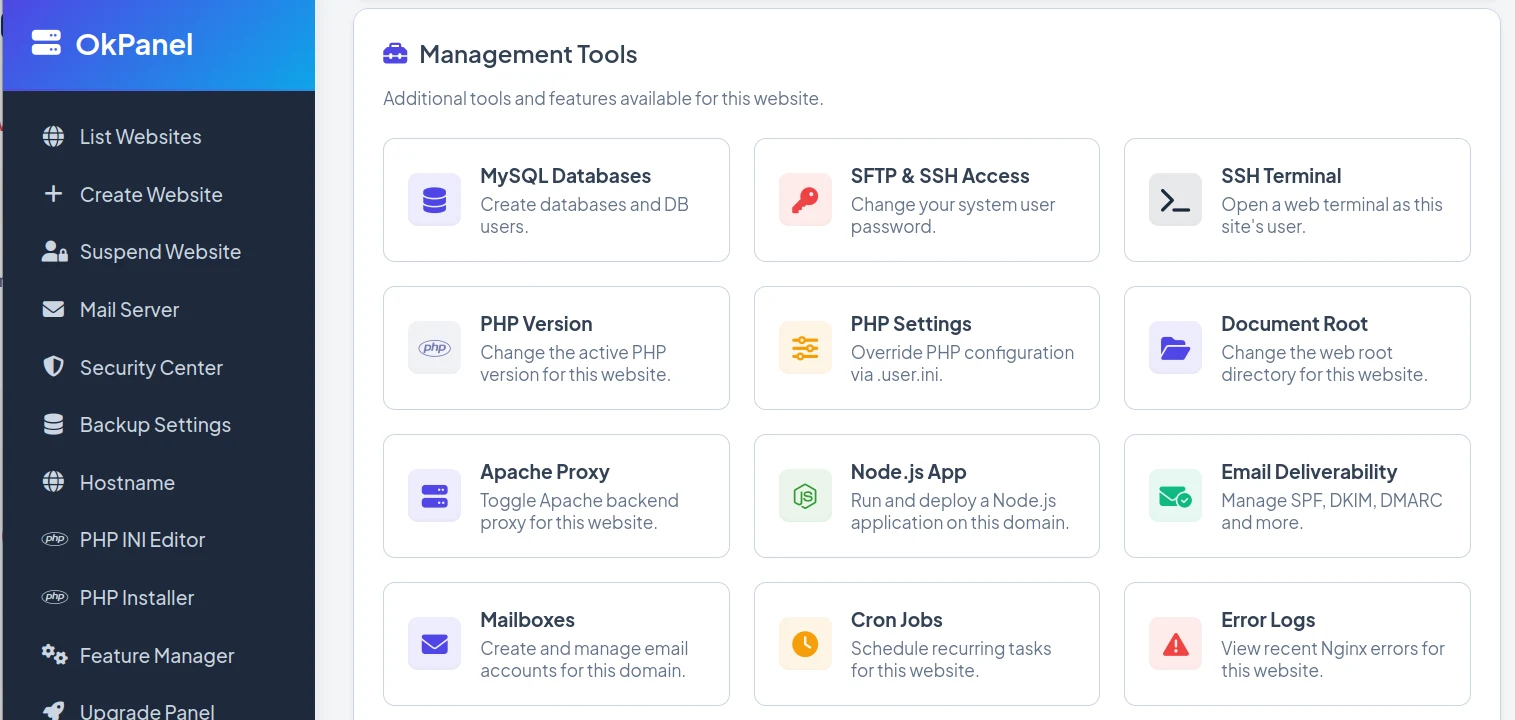
Websites, apps, email, databases, DNS, backups, and security — managed from one panel, with absolutely zero bloat.
Nginx & Apache
Host unlimited sites on Nginx with optional Apache proxy. OKPanel writes the vhosts, handles document roots, and reloads config for you.
Multiple PHP Versions
Run different PHP versions per site (7.x to 8.3), tune PHP-FPM settings, and install extensions from the panel — no shell required.
Node.js Apps & Auto-Deploy
Run multiple Node.js apps per server as managed services, mounted at any path. Push to GitHub and OKPanel deploys automatically via webhook.
Email Hosting
Create mailboxes on your own domains, access webmail, and get deliverability right with guided SPF, DKIM, and DMARC setup.
MySQL & phpMyAdmin
Create databases and users in seconds, reset passwords, and jump straight into phpMyAdmin to manage your data.
DNS Management
Manage DNS records for your domains right from the panel — A, CNAME, MX, TXT and more, without leaving OKPanel.
Free SSL, Auto-Renewed
One-click Let's Encrypt certificates that renew themselves. Every site gets HTTPS by default — no manual OpenSSL, ever.
Automated Backups
Fast, deduplicated backups of your sites and databases, on a schedule you set, with full logs of every run.
Built-in Security Center
Block brute-force attacks with Fail2ban and lock down ports with the UFW firewall — all managed from a single dashboard.
And everything else you'd expect
ALL YOUR SITES, ONE DASHBOARD
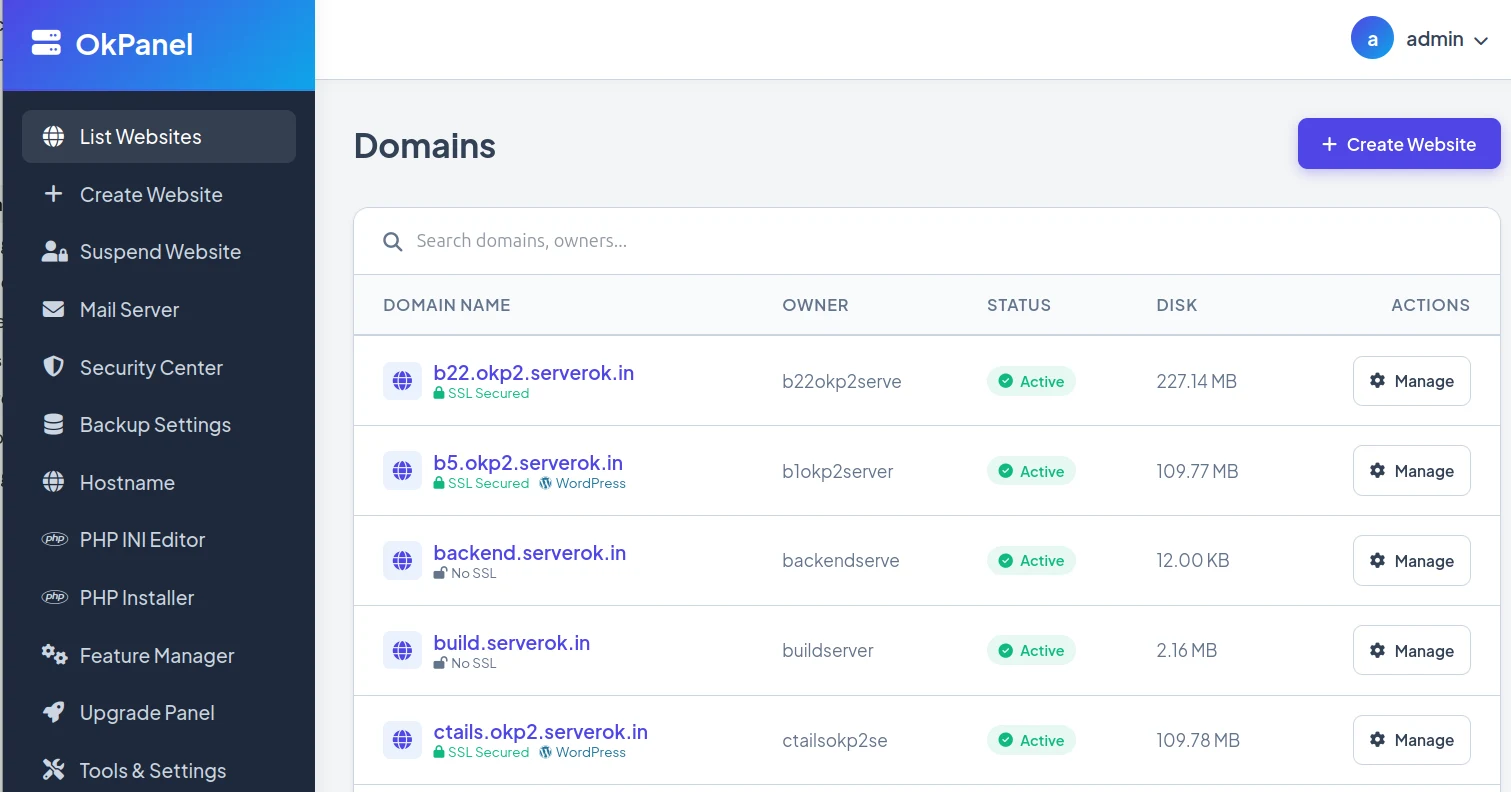
See every domain at a glance — owner, SSL status, disk usage, and one-click access to manage each site.
INSTALLATION
OKPanel is designed to be installed on a fresh Ubuntu 22.04 or 24.04 server. Our automated script handles all dependencies including Nginx, MariaDB, and PHP.
Prepare your server
Use a fresh Ubuntu 22.04 or 24.04 installation.
Run the installer
Execute the one-line command to begin the automated setup.
Access OKPanel
Once installation completes, credentials are displayed. Access OKPanel at https://your-server-ip:2222
# Become root and install curl
sudo -i && apt install -y curl
# Run OKPanel Installer
# Credentials auto-generated on completion
Username: admin / Password: [auto-generated]
Spin up your server in one line.
No licence keys, no sign-up, no bloat. Point it at a fresh Ubuntu server and you're hosting in minutes.